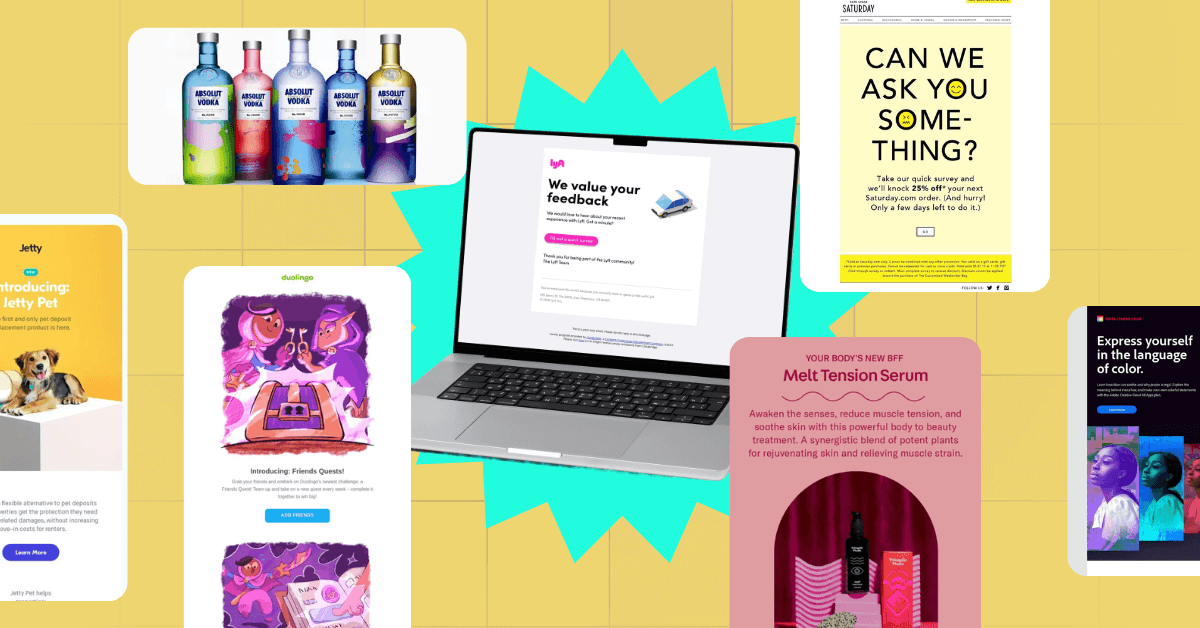
Designing Emails That Match Your Brand
For many small businesses, email is one of the most direct ways to connect with customers. Every order confirmation, newsletter, or abandoned cart reminder is a chance to show your brand’s personality and make a lasting impression. Yet, too often, store emails look plain, inconsistent, or generic — especially if you’re relying on default templates.
When your emails look and feel like your brand — from colors and typography to language and layout — they create a sense of trust and familiarity. Whether you’re running a handmade jewelry shop or a growing online boutique, improving your email design can make your store look more professional and cohesive.
If you’re using WooCommerce, tools like a WooCommerce email customizer can help you make those improvements without touching a line of code. But before getting into tools, let’s look at the design principles and practices that make store emails more effective and more “you.”
Why Email Design Matters
Think of your emails as an extension of your storefront. Just as you’d arrange your display or choose packaging that reflects your brand, your emails should tell the same story. Consistency helps customers recognize your business instantly — whether they open a shipping confirmation, a thank-you note, or a sale announcement.
Good design does more than look nice. It helps customers:
- Identify your brand quickly. Familiar visuals and tone create trust.
- Read more easily. Clean design keeps attention where it matters.
- Take action. Buttons, images, and text guide readers toward the next step — like checking out, leaving a review, or browsing new arrivals.
A well-designed email feels like a continuation of your website and social presence. That consistency builds credibility and keeps your brand top of mind.
Start with the Basics: Logo, Colors, and Fonts
The simplest way to align your emails with your brand is to start with your visual identity.
- Logo: Always include your logo at the top of your emails. It reinforces recognition and professionalism.
- Colors: Use your primary brand colors for headers, buttons, and highlights. Avoid using too many — one or two accent shades are usually enough.
- Fonts: Stick to clean, web-safe fonts. If your brand uses custom typography, choose something similar for email to maintain the same feel.
These small touches make a big difference. Even automated transactional emails — like “Your order has shipped” — should reflect your brand’s visual style.
Focus on Clarity and Layout
A great-looking email is useless if it’s hard to read. Most people scan rather than read word-for-word, so your design should make information quick to find.
- Keep it simple. Avoid clutter and large text blocks. Break up content with clear sections and short paragraphs.
- Highlight key actions. Use buttons for important links, like “Track Order” or “Shop Now.” Make sure they stand out with contrasting colors.
- Use clear hierarchy. Headings, subheadings, and spacing guide the reader’s eye naturally through the content.
Personalization and Automation
Design is just one part of a good customer experience. Relevance matters just as much. Automated emails can help you stay consistent and timely without needing to manually send updates.
For example:
- Welcome emails: Introduce your brand to new subscribers with your story, bestsellers, or first-purchase discounts.
- Abandoned cart reminders: A gentle nudge can bring customers back to finish their purchase.
- Post-purchase messages: Thank buyers, share care tips, or suggest complementary products.
Using a WooCommerce email customizer, you can design these automated messages to match your store’s look while tailoring the content to customer behavior.
Add Visuals with Purpose
Images can help bring your brand’s personality to life, but they should always serve a purpose. Use product photos that reflect your real inventory and lifestyle shots that align with your brand’s tone.
Avoid heavy graphics or overly designed layouts that might load slowly or distract from the message. Keep your visuals clean, bright, and on-brand. For example:
- A skincare brand might use soft, calming tones with minimal imagery.
- A streetwear shop might lean into bold contrast and high-energy visuals.
- A handmade craft store could feature warm, natural colors and close-up product details.
Don’t Forget Mobile Users
About 42% of all emails are opened on mobile devices, so mobile-friendly design is essential. If your email looks great on a laptop but broken on a phone, you’ll lose engagement fast.
Choose templates or customizer tools that are responsive — meaning they automatically adjust to different screen sizes. Keep buttons large enough to tap easily and text big enough to read without zooming. A quick test on your own phone before hitting send can save you from small but costly design issues.
Testing and Refining
Email design isn’t one-and-done. It’s an ongoing process of testing what works best for your audience. Try small experiments with layout, colors, or subject lines to see what drives better open and click rates.
Most tools, including WooCommerce email customizer plugins, let you preview and test emails before sending. Use those features to make sure everything looks right and links work correctly. A consistent tone and clean layout across all messages will build a more professional image over time.
Bringing It All Together
Good email design doesn’t require a designer — just consistency and care. Tools like a WooCommerce email customizer make the process easy by letting you match your emails to your store’s theme without coding. You can control fonts, colors, and content blocks in minutes, so every message feels on-brand.
When customers receive an email that clearly reflects your business — not a generic template — it builds trust. Over time, that consistency shapes a better experience, turning simple notifications into brand touchpoints that strengthen your connection with every shopper.